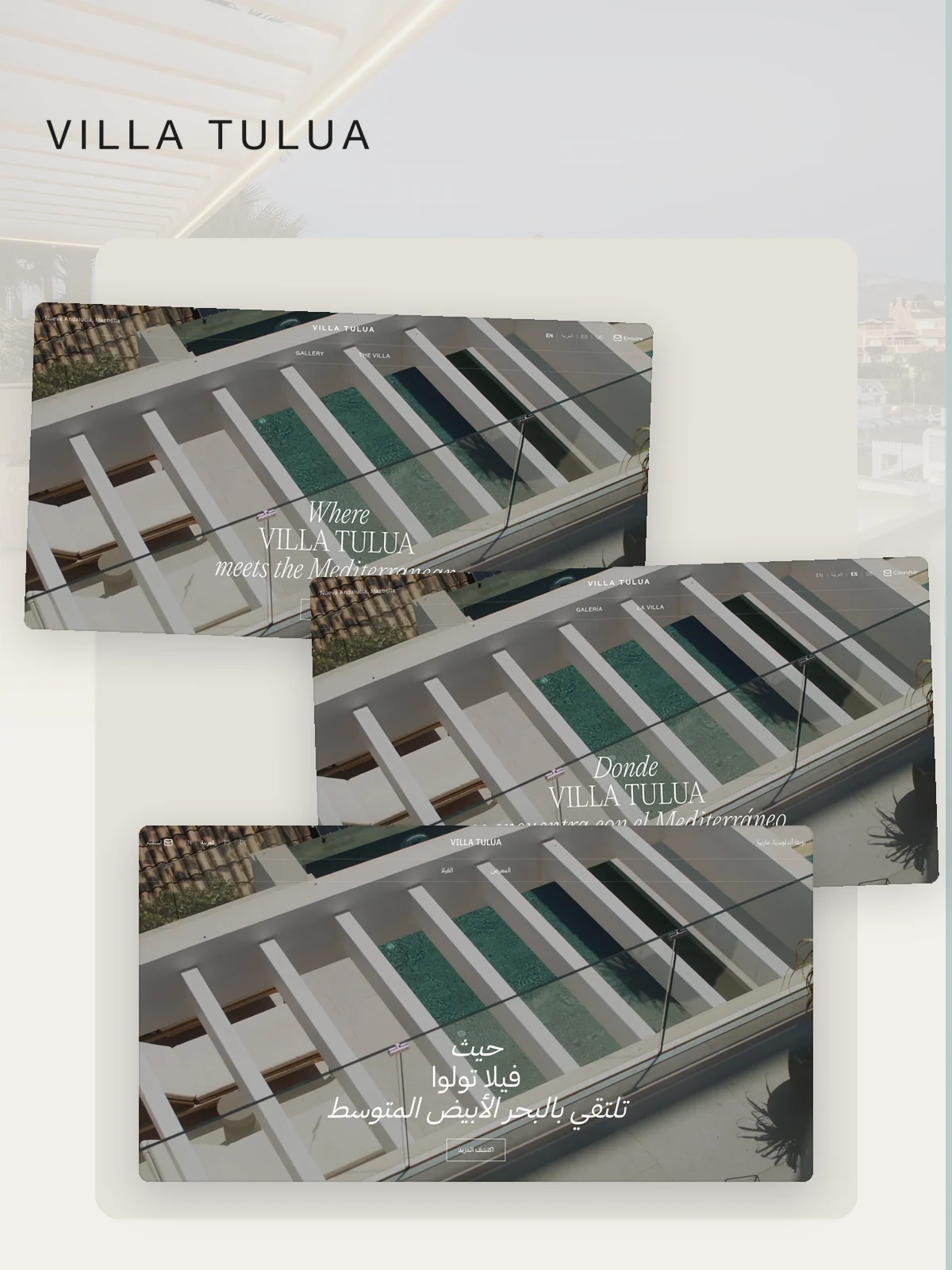
Translation alone does not make a storefront local. Navigation can point to the wrong locale, product facts can fall back silently, and a right to left language can inherit a layout designed only for left to right reading.
Interactive demo
Change language and watch the whole interface respond
Switch languages to see content direction, route, and metadata change together.
- CurrentEnglish
- NextArabic
- NextSpanish
Current state
English
Left to right layout. English route and metadata active.
How it works
- The store defines the supported locales and the default market route.
- Navigation and internal links preserve the active locale.
- Content fields fall back deliberately when an approved translation is unavailable.
- Layout direction, control order, and alignment respond to the language.
- Canonical and language-alternate metadata connect corresponding pages across markets.
What becomes easier for your team
- Fixing locale links page by page.
- Showing a translated heading beside untranslated navigation.
- Treating right to left as a mirrored afterthought.
- Publishing language versions that search engines cannot relate.
What we connect
Locale routes, translated content, navigation, layout direction, product data, deliberate fallbacks, canonical metadata, and language alternatives work as one storefront system.
Good for
Brands entering new language markets, stores serving regions with different reading directions, and international catalogues that must remain one operating store.
Get it on your store
Available through a Custom or Systems Build. Tell us the markets, languages, and content ownership. We will define the route and fallback rules before the translation enters the storefront. Tell us about the store.